See what chord you're playing on your MIDI keyboard
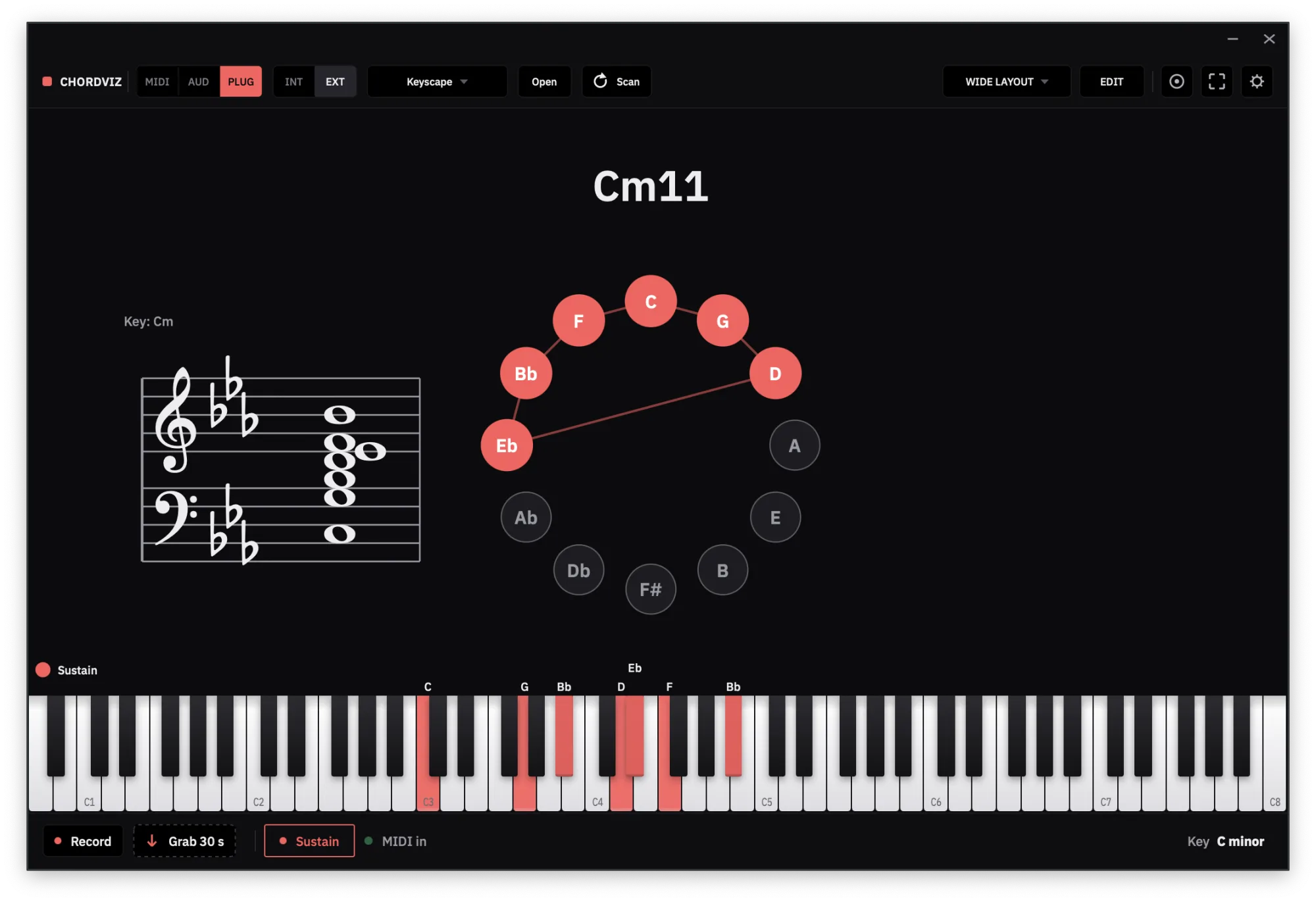
ChordViz names every chord you play on a MIDI keyboard the moment it sounds — extensions, inversions and slash chords included — and shows it on a piano keyboard, staff and circle of fifths. Rename any chord your way and it applies in every key.
Play it, and the name appears
Plug in a MIDI keyboard, play any voicing, and ChordViz names it the moment it sounds. It reads the root, the quality, the extensions and the bass note, so you get the real name — Cmaj9#11, Eb/G, Gsus4, Abm7(#11) — not the closest triad.
The same chord shows up everywhere at once: a large chord readout, the notes lit on a piano keyboard, the voicing on a grand staff, and the pitch classes on the circle of fifths — in whichever of those you put in your layout. Build as many layouts as you want and switch between them.
Names that fit how you think
- Hold last chord. Play a short, staccato chord and its name stays on screen after you let go, until you play the next one.
- Your own chord names. Unhappy with a label? Click the chord and give it your own name — or pick one of the other ways it could be written. Your name applies to that voicing in every key, so you set it once.
- See the function. Roman numerals and scale degrees show where the chord sits in the key you set, and note names can be letters or solfège.
Study a MIDI file chord by chord
Open a .mid file and ChordViz names every chord as it plays. Pause and the chord stays on
screen; drag the playhead and it works out which notes are sounding at that exact point. It's a
quick way to take apart a song or a practice piece.
ChordViz at a glance
| Price | 30-day free trial, then $29 USD one time — no subscription |
|---|---|
| Runs on | macOS 11+ (Apple Silicon and Intel) · Windows 10 (1903)+ |
| Input | Any MIDI keyboard or controller, the on-screen keys, MIDI files, plus mic / interface audio for the meters |
| Visuals | Piano keyboard, chord name, grand staff, circle of fifths, piano roll, audio meters and more |
| Layouts | Unlimited — add, delete and arrange any of the 19 widgets, and save as many layouts as you want |
| Live output | Transparent feed to OBS, Resolume or TouchDesigner — Syphon on macOS, Spout on Windows |
| Recording | Video at 60 fps, WAV audio and MIDI files — no screen recorder needed |
Questions
- What chords can ChordViz recognise?
- ChordViz builds each name from the notes you're holding — root, quality, extensions and bass note — so it spells triads, sevenths, extended chords like Cmaj9#11, altered chords, inversions and slash chords such as Eb/G. When a voicing has more than one sensible name, click the chord readout to see the other readings.
- Can I rename a chord the way I teach it?
- Yes. Unhappy with a label? Click the chord and give it your own name, or pick another reading. It's saved as a shape, so it applies to that voicing in every key, and the Roman numeral, note names and staff follow it. Each label can last for this session only or always.
- Does ChordViz detect chords from audio?
- No — chord names come from MIDI, which is exact. Audio from a microphone or interface drives the audio visualizers and your recordings, not the chord name.
- Does it work with any MIDI keyboard?
- Any MIDI keyboard or controller your Mac or PC recognises works, over USB or a MIDI interface. You can also play the on-screen keys or open a MIDI file.
- Can I stop a MIDI file on a chord to study it?
- Yes. Pause a MIDI file and the chord stays on screen — name, notes, staff and circle of fifths. Drag the playhead and ChordViz works out which notes are sounding at that point.