Show the theory while you play: ChordViz for music teachers
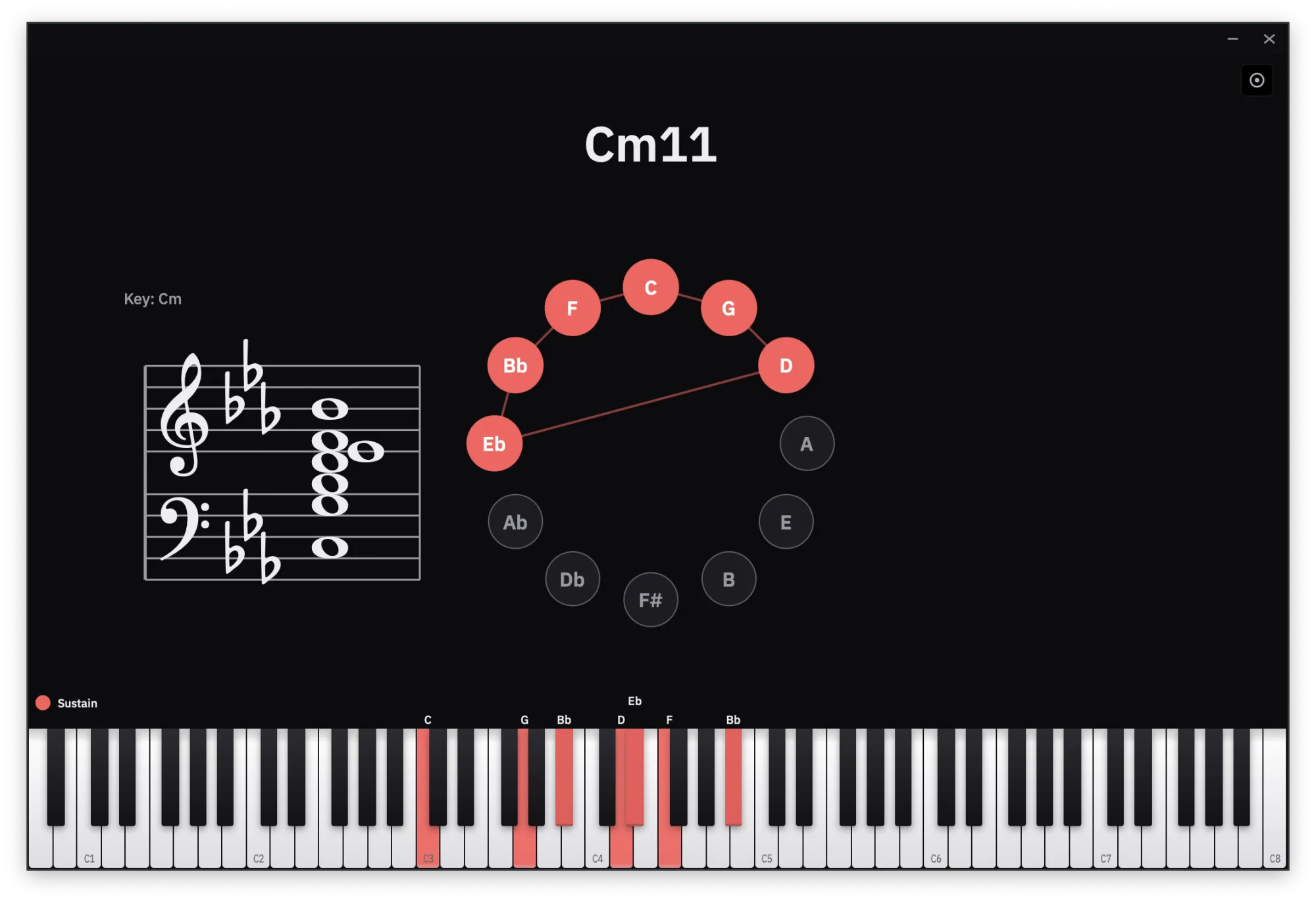
ChordViz shows students every chord you play — named, on a piano keyboard, staff, circle of fifths and more — in layouts you design yourself: add or delete any of 19 widgets and save as many layouts as your lessons need. Use it in class or over a video call.
Build exactly the view your lesson needs
ChordViz isn't one fixed screen. It's a canvas you fill with widgets, and you decide what's on it:
- Add any widget. 19 of them — piano keyboard, chord name, grand staff, circle of fifths, piano roll, Roman numerals, a metronome and beat bar, audio meters, even your webcam.
- Delete what you don't need. Teaching intervals? Keep just the keyboard and the staff. Teaching harmony? Put the circle of fifths front and centre.
- Arrange it your way. Drag, resize and place every widget, and change how each one looks.
- Save as many layouts as you want. One for beginners, one for jazz voicings, one for ear training — switch between them in a click, and each reopens exactly as you left it.
A Teaching layout is included to start from, but the point is that you're not stuck with it. Whatever you're explaining — chords, notes, rhythm or sound — you can put it on screen.
What students see
Every chord you play, named the moment it sounds, in every widget you've chosen at once. They don't have to read your hands to follow along; the theory is on screen.
In class or online
- In the room: run ChordViz full screen on a second display or projector.
- Online: share the ChordViz window in your video-call app. Focus mode hides every control first, so students see only the visuals.
Teach it your way
- Your chord names. Unhappy with a label? Click the chord and give it your own name. It applies to that voicing in every key.
- Letters or solfège. Show note names as C D E, Do Ré Mi, or with Ti.
- Function, not just names. Roman numerals and scale degrees show where each chord sits in the key you set.
- Short chords stay readable. With Hold last chord on, a staccato chord keeps its name on screen after you let go.
Send examples after the lesson
Record a voicing, a progression or a whole exercise as a video with your audio, or save it as a WAV or MIDI file. Every take is copied to your clipboard, ready to paste into a message to a student.
ChordViz at a glance
| Price | 30-day free trial, then $29 USD one time — no subscription |
|---|---|
| Runs on | macOS 11+ (Apple Silicon and Intel) · Windows 10 (1903)+ |
| Input | Any MIDI keyboard or controller, the on-screen keys, MIDI files, plus mic / interface audio for the meters |
| Visuals | Piano keyboard, chord name, grand staff, circle of fifths, piano roll, audio meters and more |
| Layouts | Unlimited — add, delete and arrange any of the 19 widgets, and save as many layouts as you want |
| Live output | Transparent feed to OBS, Resolume or TouchDesigner — Syphon on macOS, Spout on Windows |
| Recording | Video at 60 fps, WAV audio and MIDI files — no screen recorder needed |
Questions
- Can I make different layouts for different lessons?
- Yes, as many as you like. Add or delete any of the 19 widgets, drag and resize them, and save the result as a layout. Keep one per lesson type and switch between them in a click — each reopens exactly as you left it.
- Can students see ChordViz in an online lesson?
- Yes. Share the ChordViz window in your video-call app like any other window. Focus mode hides every control first, so students see only the visuals. In a classroom, put it full screen on a second display or projector.
- Can it show solfège or Roman numerals?
- Yes. Note names can be letters (C D E), French solfège (Do Ré Mi) or English solfège with Ti. Roman numerals and scale degrees are shown against the key you set.
- Can I label chords the way my curriculum does?
- Yes. Unhappy with a label? Click the chord and give it your own name. The label applies to that voicing in every key, so you set it once.
- Can I record examples to send to students?
- Yes. Record the window as a video with your audio, or save a WAV or a MIDI file. Each take is copied to your clipboard, ready to paste into a chat app or email.
- Can I use ChordViz in paid lessons?
- Yes. The license covers commercial use, including paid lessons, videos and streams. One license activates on two devices.