Piano and chord overlay for OBS and live streams
ChordViz puts a live piano keyboard, chord names and notation over your stream with real transparency — no green screen. Play your MIDI keyboard and it shows up in OBS as its own source — Syphon on macOS, a Window Capture on Windows.
What your viewers see
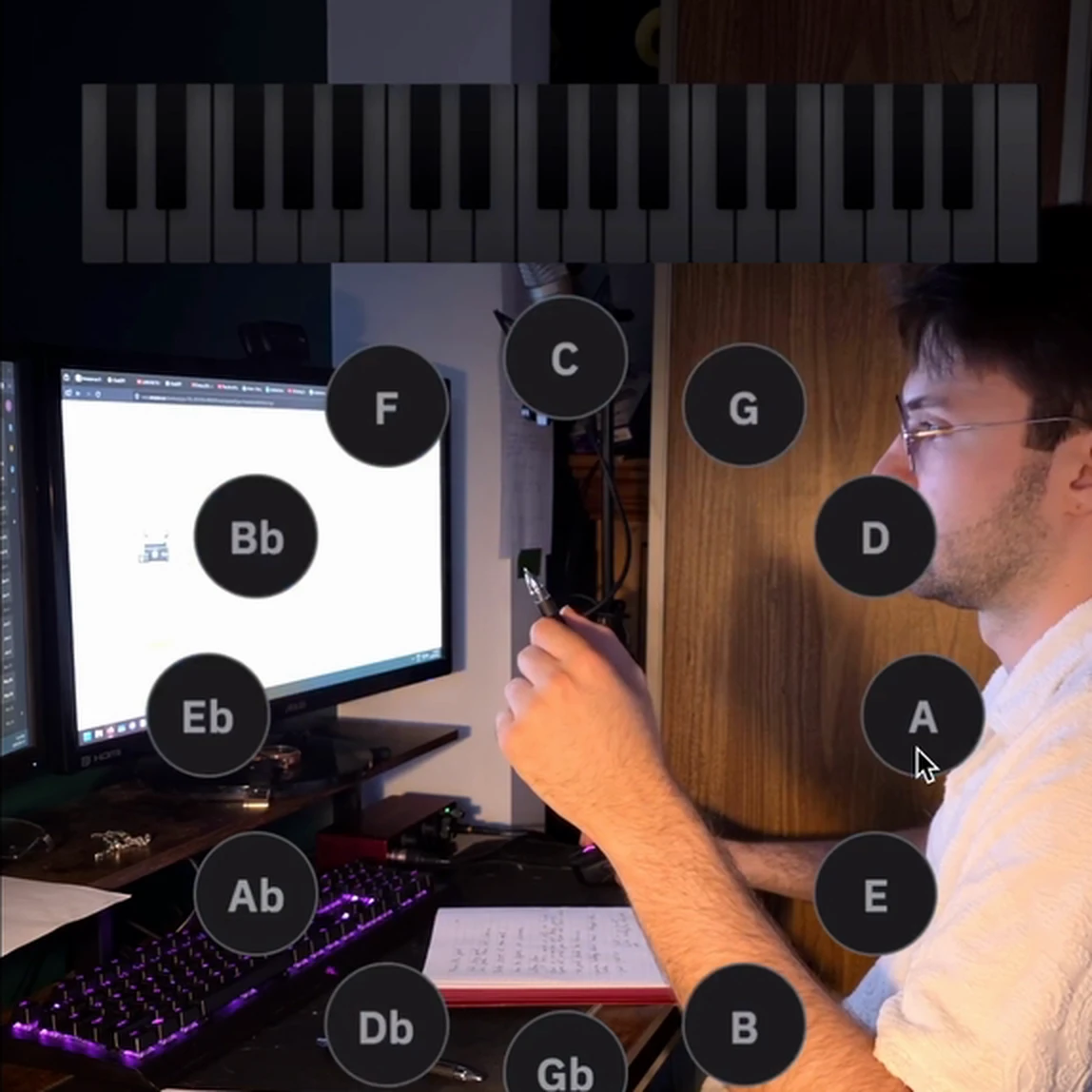
A clean overlay of what you're playing, in sync with your hands: the keys you press light up on a piano keyboard, the chord name appears the moment the chord sounds, and the notes land on a grand staff. Add a circle of fifths, a piano roll that scrolls each note away from the keyboard, or audio meters — any of the widgets, arranged however you like. Save as many layouts as you want: one for chords, one for a solo piano set, one for production streams — each reopens exactly as you left it.
Because ChordViz renders a real transparent background, only the visuals appear on stream. Soft glows stay soft; there's no green edge to key out.
How it gets into OBS
- macOS: turn on Live output in ChordViz and add a Syphon Client source in OBS. It's built into OBS on Mac — nothing to install — and it carries the full transparency that OBS's own window capture loses.
- Windows: add a Window Capture source in OBS with the capture method set to Windows 10 (1903 and up), which keeps the transparency. ChordViz also publishes over Spout for TouchDesigner and Resolume.
The full walkthrough, with screenshots, is in the guide: How to make ChordViz transparent over your video.
Built for playing live
- Chord names that keep up. Extensions, inversions and slash chords are spelled correctly as you play — Cmaj9#11, Eb/G, Gsus4.
- Hold last chord. Staccato comping keeps its label on screen after you let go, so viewers can read it.
- Your own chord names. Unhappy with a label? Click the chord and give it your own name — it applies in every key.
- Focus mode. Hides every control so nothing but the visuals reaches the stream.
- Your sound, too. Play ChordViz's built-in electric pianos or your own VST3 / Audio Unit instrument, and the audio meters react to it.
Not streaming? Record it instead
The same overlay can be recorded straight from ChordViz as a video file with a transparent background — drop it above your camera clip in DaVinci Resolve, Final Cut or Premiere and it composites on its own.
ChordViz at a glance
| Price | 30-day free trial, then $29 USD one time — no subscription |
|---|---|
| Runs on | macOS 11+ (Apple Silicon and Intel) · Windows 10 (1903)+ |
| Input | Any MIDI keyboard or controller, the on-screen keys, MIDI files, plus mic / interface audio for the meters |
| Visuals | Piano keyboard, chord name, grand staff, circle of fifths, piano roll, audio meters and more |
| Layouts | Unlimited — add, delete and arrange any of the 19 widgets, and save as many layouts as you want |
| Live output | Transparent feed to OBS, Resolume or TouchDesigner — Syphon on macOS, Spout on Windows |
| Recording | Video at 60 fps, WAV audio and MIDI files — no screen recorder needed |
Questions
- Do I need a plugin to get ChordViz into OBS?
- No. On macOS, OBS's built-in Syphon Client source receives ChordViz directly. On Windows, a Window Capture source set to the Windows 10 (1903 and up) capture method keeps the transparency.
- Will the overlay have a see-through background?
- Yes. ChordViz renders a real alpha channel, so only the keys, notes and chord names show — soft glows included — over your camera or game capture. There is no chroma key to tune.
- Does it work with any MIDI keyboard?
- Any MIDI keyboard or controller your computer recognises works, over USB or a MIDI interface. ChordViz reads the notes and names the chord live; it can also play them through its built-in pianos or your own VST3/AU instrument.
- Can I show the chords without a MIDI keyboard?
- Chord names come from MIDI. Without a keyboard you can still play the on-screen keys, or open a MIDI file and let it drive the overlay; audio input drives the meters (spectrum, waveform, VU) but not the chord name.
- Can I record the overlay instead of streaming it?
- Yes. ChordViz can record its own window as a video with a transparent background (HEVC with alpha or ProRes 4444 on macOS), so you can drop it above your camera clip in an editor.