How to show your piano keys on stream
Put a live piano keyboard and the chord names over your Twitch or YouTube stream: connect your MIDI keyboard to ChordViz, build a stream layout, and add it to OBS with a transparent background.
You need a MIDI keyboard, ChordViz and OBS. It takes about five minutes the first time; after that the layout is saved and it's one click.
1. Check that ChordViz hears your keyboard
Plug your keyboard in over USB (or a MIDI interface) and open ChordViz. Play a few notes: the keys on screen should light up. If they don't, open the MIDI menu in the toolbar and tick your keyboard.
2. Build a layout for the stream
Click Edit and keep only what viewers need. A good start is a Keyboard across the bottom and a Chord Name above it. Add a Staff if your viewers read music. Delete everything else.
Save it as a layout called "Stream". Next time, pick it from the layout menu and you're done.
3. Make the background transparent
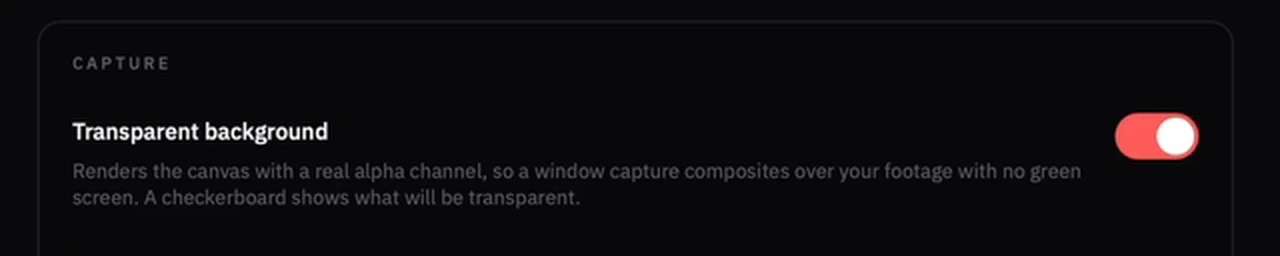
In Settings → Interface, under Capture, turn on Transparent background, then leave edit mode and click Focus mode. Only the keys and chord names are drawn now, so they sit over your camera instead of in a box.
4. Add ChordViz to OBS
On a Mac
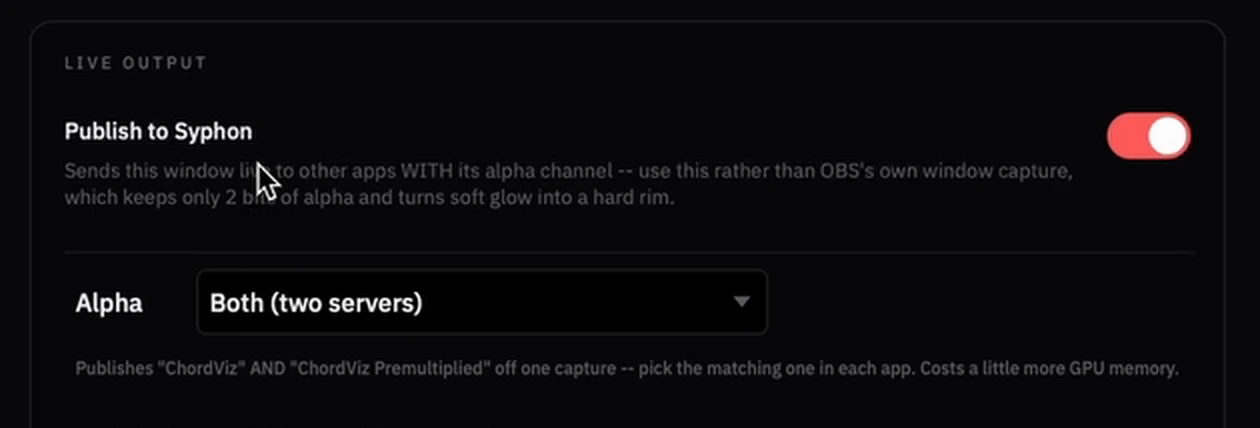
In ChordViz, open Settings → Video & streaming and, under Live output, turn on Publish to Syphon.
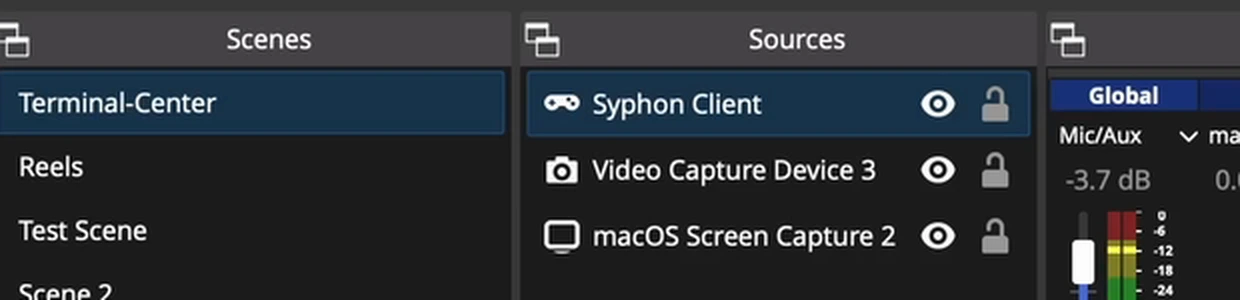
In OBS, click + under Sources and add a Syphon Client. Syphon is built into OBS on Mac; there's nothing to install.
Choose ChordViz as the source and tick Allow Transparency.

On Windows
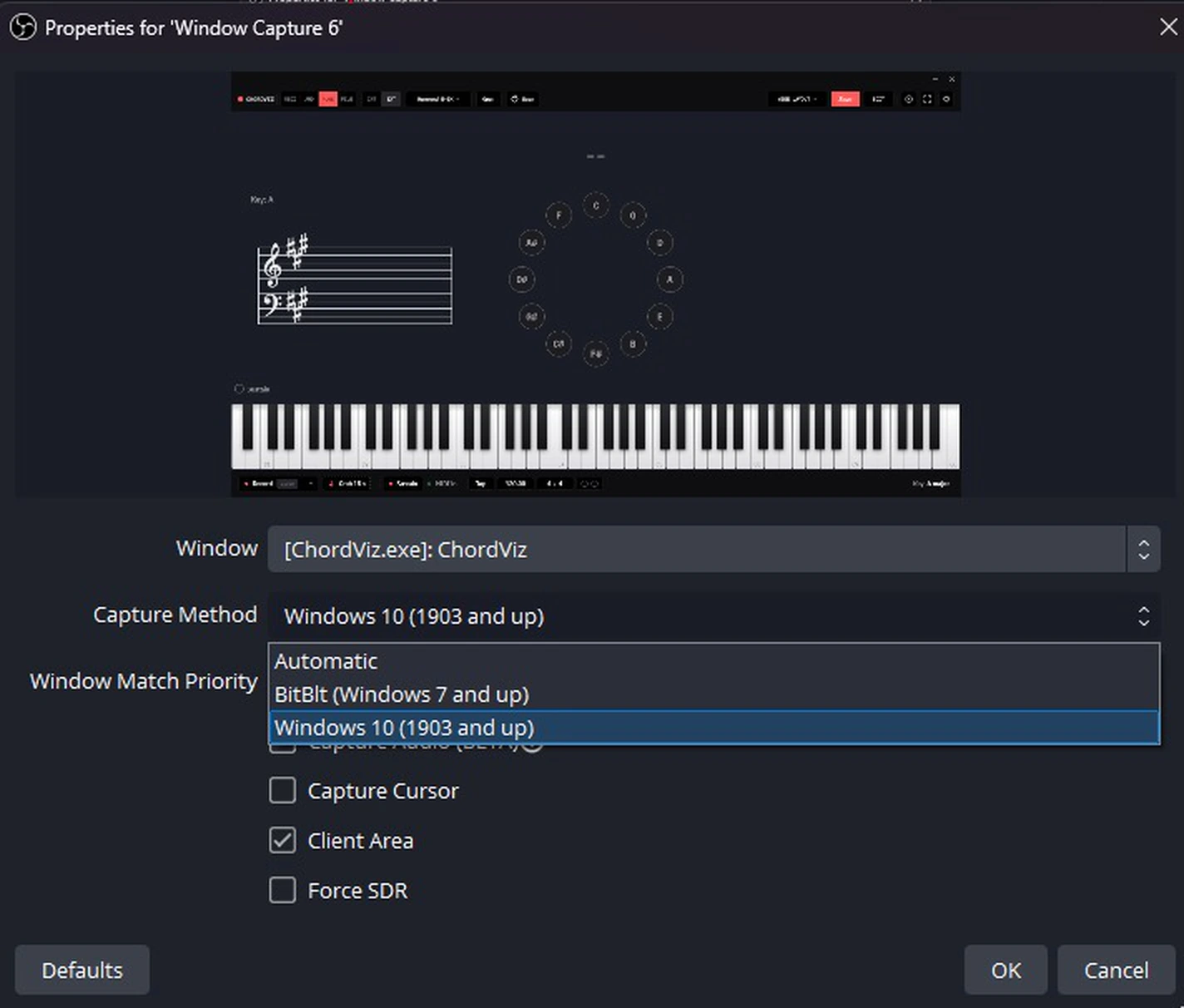
In OBS, add a Window Capture source, pick [ChordViz.exe]: ChordViz and set Capture
Method to Windows 10 (1903 and up). The other methods lose the transparency. Leave
Capture Cursor off.
5. Place it in your scene
Drag the source to the bottom of your scene, over your camera, and resize it. Lock it so it doesn't move mid-stream.
If something's wrong
- The keys don't light up — your keyboard isn't selected in the toolbar's MIDI menu.
- There's a black or grey box behind the keys — you're still in edit mode, transparency is off, or (on Windows) the capture method isn't Windows 10 (1903 and up).
- The toolbar shows on stream — click Focus mode.
- No chord name appears — chord names come from MIDI. A microphone drives the audio meters, not the chord name.
Want the stream to show more: the circle of fifths, a piano roll, audio meters? Every widget works on stream. See piano overlay for OBS.
See it with your own playing.
Free for 30 days · Then $29 USD one time · Lifetime ChordViz updates